
The Best SEO Strategy for a New Website
Launching a new website is an opportunity to build a strong foundation for long-term organic growth. But simply publishing pages and waiting for visitors is rarely enough. Search engines need to find, understand and trust your site, while visitors need useful information that helps them take the next step.
The best SEO strategy for a new website is a focused, sustainable plan: make the site technically accessible, create helpful content around real search demand, and earn credibility over time. Here’s how to approach it.
Start with your audience and business goals
Before choosing keywords or writing content, be clear about who the website is for and what you want it to achieve. Are you aiming to generate enquiries, sell products, attract bookings or build an audience? The answer will shape the pages you need and the searches you want to appear for.
Describe your ideal customers, their needs and the questions they ask before choosing a product or service. This helps you create a site that serves people, rather than one built solely around search terms.
Research keywords by intent
Keyword research helps you understand the language people use when looking for your products, services or expertise. For a new website, prioritise relevant searches where your business can provide a genuinely useful answer. Search volume matters, but it should not be the only factor.
Consider the intent behind each search:
- Informational: the person wants to learn or solve a problem.
- Commercial: the person is comparing options.
- Transactional: the person is ready to buy, book or enquire.
- Navigational: the person is looking for a particular business or website.
Group related searches into themes and match each theme to the most suitable page. This keeps your site organised and reduces the risk of several pages competing for the same topic.
Build a clear, logical site structure
A well-organised website is easier for visitors and search engines to navigate. Give important pages a clear place in your site structure and make sure they can be reached through descriptive links.
A small business website might include a home page, service or product pages, an about page, contact details and a resource section. Larger sites may need categories and subcategories. Keep the structure simple, use readable URLs and avoid creating unnecessary pages.
Plan internal links as you build. For example, an article explaining a common problem can link to the relevant service page, while related articles can link to one another where it helps the reader.
Create useful, original content
Content should answer the questions your audience actually has and help them make informed decisions. A page that merely repeats a keyword is unlikely to provide a good experience. Instead, explain the subject clearly, include relevant detail and show why your business is qualified to help.
For each important page:
- Give it one clear purpose and a distinct topic.
- Write a descriptive page title and a concise meta description.
- Use headings to make the information easy to scan.
- Include helpful examples, original insights or evidence where appropriate.
- Use clear calls to action that suit the visitor’s needs.
- Review facts, spelling and links before publishing.
There is no ideal word count for every page. Make the content as comprehensive as the subject requires, without adding filler.
Get the technical foundations right
Technical SEO helps search engines access and understand your website. Check the essentials before launch and revisit them regularly:
- Make sure the site uses HTTPS.
- Ensure important pages can be crawled and indexed.
- Check that robots.txt and any noindex settings are not blocking pages unintentionally.
- Create and submit an XML sitemap through Google Search Console.
- Use a mobile-friendly design that works across common screen sizes.
- Improve page speed and avoid disruptive layouts or unnecessary scripts.
- Use canonical tags correctly where duplicate or very similar pages exist.
- Add structured data only when it accurately describes the page.
Test the site before launch, particularly navigation, forms, checkout journeys and mobile usability. Technical issues can prevent otherwise useful pages from performing as intended.
Establish trust and credibility
People are more likely to choose a business when they can understand who is behind it and what to expect. Include accurate contact details, clear information about your products or services, and genuine evidence of your experience.
Depending on your business, useful trust signals may include staff profiles, qualifications, case studies, customer reviews, policies and an up-to-date business profile on relevant directories. Do not publish claims or reviews that cannot be substantiated.
Promote your content and earn relevant links
New websites often have little online recognition, so it can take time for search engines and potential customers to discover them. Share useful content through appropriate channels, such as your newsletter, social media, industry communities or business partners.
When other reputable websites link to your content, those links can help people discover your site and may contribute to its authority. Focus on earning relevant links through useful resources, genuine partnerships, expert contributions and worthwhile digital PR. Avoid buying links or using schemes designed to manipulate rankings.
Measure progress and refine the strategy
Set up Google Search Console and an analytics tool that meets your privacy and business requirements. Search Console can show which queries and pages are receiving impressions and clicks, as well as report some technical issues. Analytics can help you understand what visitors do after arriving on the site.
Review performance regularly, but avoid making decisions based on a few days of data. For a new website, search visibility may take time to develop. Look for useful patterns: which pages are gaining impressions, what questions visitors search for, and where people leave or convert.
A practical SEO plan for the first 90 days
- Weeks 1–2: Define business goals, audience groups and the main services or products. Research search intent and plan the site structure.
- Weeks 3–4: Build and test the website. Write essential pages, set up Search Console and check mobile usability, indexing settings and performance.
- Weeks 5–8: Publish useful supporting content, add internal links and share the site with relevant audiences and partners.
- Weeks 9–12: Review search data, improve pages based on what you learn, fix any technical issues and plan the next round of content.
Common SEO mistakes to avoid
- Targeting broad, highly competitive keywords before establishing relevance.
- Publishing large volumes of thin or repetitive content.
- Using the same page title or content across multiple pages.
- Ignoring mobile usability, page speed or indexing settings.
- Expecting immediate rankings or guaranteed results.
- Buying links or relying on tactics that violate search engine guidelines.
Conclusion
The best SEO strategy for a new website is not a quick fix. It combines a clear site structure, useful content, sound technical foundations, credible signals and consistent measurement. Start with the pages your audience needs most, make them genuinely helpful, and improve the site as real performance data becomes available.
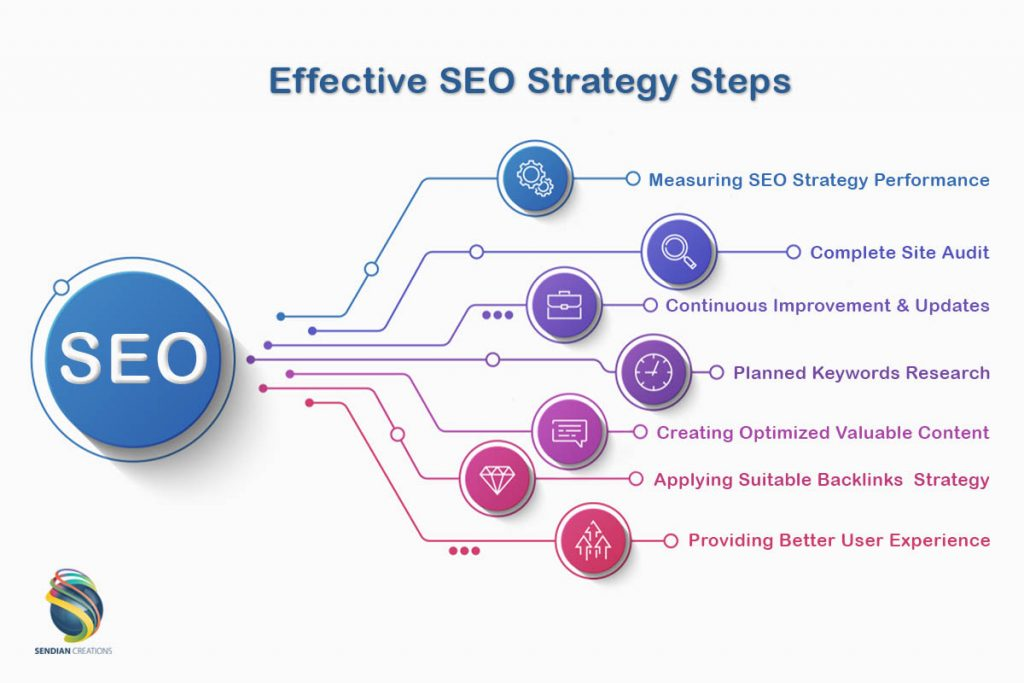
Top 5 SEO Strategies for Optimising Your New Website
- Research keywords your audience actually uses.
- Create helpful, original content for each key topic.
- Make pages fast, mobile-friendly and easy to navigate.
- Use clear page titles, headings and descriptive URLs.
- Earn relevant backlinks and track results with analytics.
Research keywords your audience actually uses.
Research the keywords your audience actually uses by listening to how they describe their needs, questions and problems. Use keyword research tools, search suggestions and customer conversations to discover relevant phrases, then consider the intent behind each search. Prioritise terms that match your products or services and give you a realistic opportunity to provide a useful answer. This helps you create focused pages that connect with potential customers, rather than filling your website with keywords that attract the wrong audience.
Create helpful, original content for each key topic.
Create helpful, original content for each key topic your audience cares about. Start by understanding the questions people ask and the problems they need to solve, then create a focused page that answers them clearly and accurately. Use your own expertise, examples and insights rather than copying other websites or repeating the same information across multiple pages. Well-organised, genuinely useful content gives visitors a reason to trust your site and helps search engines understand what each page is about.
Make pages fast, mobile-friendly and easy to navigate.
Make your pages fast, mobile-friendly and easy to navigate to give visitors a better experience and help search engines understand your site. Compress images, limit unnecessary scripts and check that pages load smoothly on mobile devices. Use clear menus, descriptive links and a logical layout so people can quickly find the information they need, whether they’re browsing on a phone, tablet or computer.
Use clear page titles, headings and descriptive URLs.
Use clear page titles, headings and descriptive URLs to help visitors and search engines understand what each page is about. Give every page a unique, concise title that reflects its main topic, organise the content with logical headings, and choose a short URL that is easy to read and remember. Avoid vague labels, unnecessary words and keyword stuffing; clarity and relevance should come first.
Earn relevant backlinks and track results with analytics.
Earn backlinks from relevant, reputable websites by creating genuinely useful content, building industry relationships and contributing expert insights—rather than buying links or using schemes. Then track your progress with tools such as Google Search Console and analytics software, monitoring organic impressions, clicks, rankings and conversions. Reviewing these results regularly helps you understand what is working, spot opportunities and refine your SEO strategy over time.